
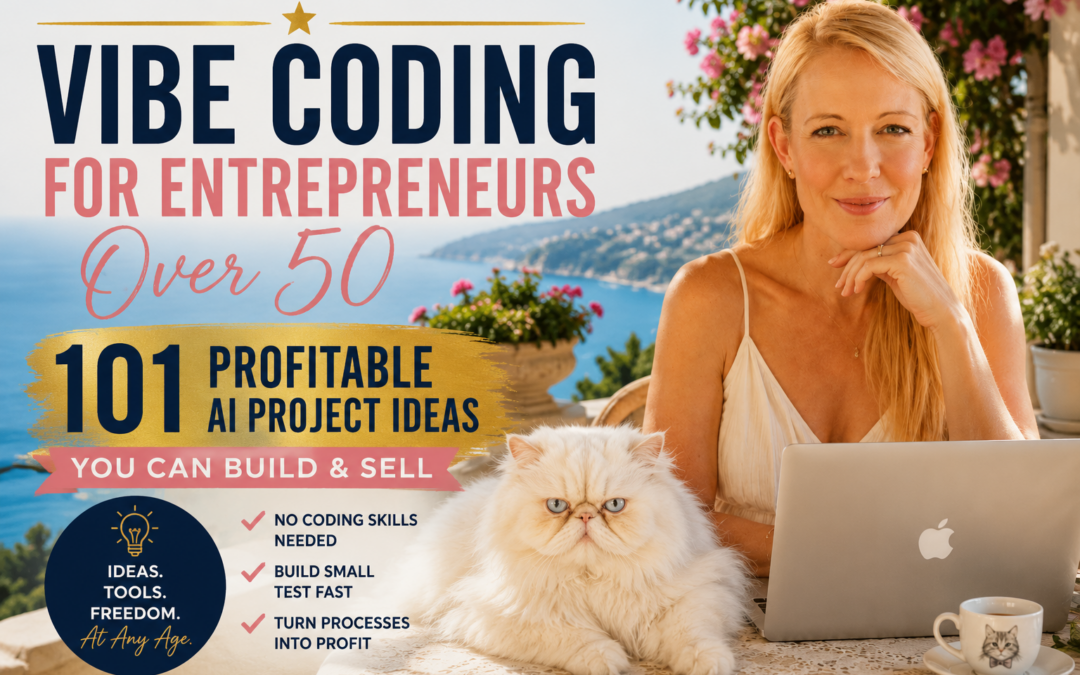
- Vibe coding is not about typing less — it is about thinking more clearly and letting AI handle the repetitive execution so you can focus on decisions that matter.
- The Three-Pass Build Method is the fastest way to go from a blank screen to a launched product without getting lost in perfectionism or feature bloat.
- You do not need to be a professional developer to build something real and profitable with vibe coding — you need a clear problem, a focused outcome, and a repeatable process.
- The best vibe code projects start embarrassingly small — one job, one input, one useful result that three real users can test this week.
- Later in this article, you will find a library of 101 real processes you can collapse into a tool, offer, or profitable project starting today.
Vibe coding is the fastest way to turn a clear idea into working software — and most people are doing it completely wrong.
Instead of spending months learning syntax or hiring a developer, vibe coding lets you describe what you want, guide an AI through the build, and ship something real in days. This workshop is built around exactly this approach — helping people go from idea to launched product within a single week using AI-assisted workflows. The method works because it forces clarity before code. When you know what your tool does, who it helps, and what output it produces, the AI becomes a precise execution engine rather than a guessing machine.
This is not a shortcut for lazy builders. It is a faster path for clear thinkers.
Why Vibe Coding Is Such an Opportunity for Entrepreneurs Over 50
If you are building a business after 50, you may look at AI and vibe coding and assume younger, more technical entrepreneurs have an enormous advantage.
I actually think the opposite can be true.
You do not need to compete with a 22-year-old programmer on how quickly you can write code.
Your advantage is knowing which problems are worth solving in the first place.
By the time you reach your 50s, you have accumulated decades of experience with businesses, customers, jobs, families, money, hobbies, relationships, travel, home ownership, health, retirement planning, and everyday problems.
You have seen inefficient systems.
You have repeated frustrating processes.
You have watched businesses make the same mistakes.
You have probably said more than once:
“There has to be an easier way to do this.”
Those experiences are potential product ideas.
Experience Becomes Your Competitive Advantage
AI is changing the value equation.
When building software required years of programming knowledge, having a great idea was not enough. You either had to learn how to code or pay someone else to build it.
Vibe coding lowers that technical barrier.
That means skills such as problem recognition, judgment, customer understanding, creativity and lived experience become increasingly valuable.
Imagine someone who has spent 25 years working in real estate.
They probably understand dozens of repetitive processes that frustrate agents, buyers and sellers.
A longtime teacher understands problems inside education that an outside software developer might never notice.
A small-business owner understands customer questions, paperwork and repetitive administrative tasks.
A content creator understands the hours lost researching, organizing, publishing and repurposing content.
A gardener, traveler, pet owner, consultant, freelancer or online entrepreneur has another completely different library of problems.
That knowledge can become the starting point for a tool.
You Do Not Need 101 New Ideas — You Need to Notice What You Already Know
This is why I believe entrepreneurs over 50 should approach vibe coding differently.
Do not start by asking:
“What cool AI app could I build?”
Start by asking:
“What have I learned over the last 20 or 30 years that could make somebody else’s life easier?”
Then look for the repetitive part.
What do people repeatedly calculate?
What do they organize?
What decisions do they struggle with?
What checklist do they recreate every time?
What information do they constantly have to sort through?
What takes 30 minutes that could potentially take 30 seconds?
That is where your experience meets AI.
And that may be one of the biggest opportunities vibe coding creates for entrepreneurs over 50:
You bring the experience. AI helps you execute the idea.
You do not have to know everything about technology.
You need to know something valuable about people, problems and processes.
And after decades of living and working, you may already know far more about those things than you realize.
A Personal Note from Kirsten
One of the things I love most about being an entrepreneur after 50 is that I no longer believe I have to know everything before I start something new.
I’ve built businesses, created websites, published books, experimented with different income streams, made plenty of mistakes, changed direction more times than I can count, and learned that some of the most valuable business lessons come from simply doing the work and paying attention to what happens.
That is one of the reasons vibe coding fascinates me.
I am not trying to become a professional programmer.
I am interested in what technology can help me create.
When I look at the 101 processes later in this article, I don’t just see software ideas. I see problems and processes I already understand.
Publishing a book.
Creating content.
Building a website.
Planning a marketing campaign.
Creating a digital product.
Researching a topic.
Organizing a business idea.
Those are things many of us have already done manually.
And now we can start asking a completely different question:
“Could I turn what I already know how to do into a simple tool that helps somebody else do it faster?”
That is exciting to me.
Because suddenly our years of experience are not something we have to overcome in order to participate in the AI economy.
They are part of the advantage we bring to it.
I don’t believe entrepreneurs over 50 need to chase every new AI tool or try to become technology experts overnight.
We can stay curious.
We can experiment.
We can build small things.
We can test ideas.
And we can combine something incredibly powerful — decades of human experience with technology that can help us execute those ideas faster than ever before.
That is how I am approaching vibe coding.
Not as another technology trend I have to keep up with.
But as another tool I can learn to use to turn ideas, experience and creativity into something real.
What Vibe Coding Actually Is (And Why It Changes Everything)
Vibe coding is the practice of building software by guiding an AI with structured decisions rather than writing every line of code manually. You define the problem, map the process, describe the output, and let the AI generate the working code. Your job is to make the right calls — the AI’s job is to execute them faster than any human could.
What makes this different from just “using AI to code” is the intentionality behind it. Random prompts produce random results. Structured thinking produces usable software. The shift is not in the tools — it is in how you approach the build before you type a single instruction.
AI as Your Coding Co-Pilot, Not Your Replacement
The biggest mistake new vibe coders make is treating AI like a magic button. They type a vague idea, get a half-working prototype, and then wonder why it falls apart under real use. AI is exceptional at collapsing repeatable steps — formatting outputs, generating logic, writing boilerplate — but it cannot decide what problem is worth solving. That decision belongs to you.
Think of AI as the fastest junior developer you have ever worked with. It follows instructions precisely, never complains about repetitive tasks, and can rewrite entire modules in seconds. Your role is the senior decision-maker who knows what the user actually needs and keeps the build pointed in the right direction.
Why Clear Decisions Beat Clever Prompts
A well-structured input beats a beautifully written prompt every time. Before you open any AI tool, you should be able to answer three questions: What does this tool take as input? What decision rules does it apply? What does the finished output look like? When those three answers are sharp, the AI can fill in the rest. When they are fuzzy, even the most sophisticated prompt will produce something unusable.
The Vibe Coder’s Pre-Build Checklist
✅ What is the one job this tool does?
✅ Who is the specific person it helps?
✅ What do they put in?
✅ What do they get out?
✅ What decision rules turn the input into the output?
✅ What is the smallest version that proves it works?
Run through this checklist before every build. It takes five minutes and saves hours of rebuilding something that was never clearly defined in the first place.
The Three-Pass Build Method That Gets You to Launch Fast
Most people never launch because they keep polishing something that was never fully working in the first place. The Three-Pass Build Method fixes that by separating the build into three distinct stages, each with one clear goal. Do not mix them. Do not skip ahead. Each pass builds on the last.
Pass 1: Ugly and Working
The only question in Pass 1 is whether the correct output appears when you feed the tool a real input. Nothing else matters. The design can be bare HTML. The copy can be placeholder text. The layout can be a single column with no styling. If the right answer comes out the other end, Pass 1 is done.
Resist the urge to fix the font size or adjust the button color before the core logic is confirmed. Developers who polish before the tool works are the same developers who spend three weeks on a product nobody ends up using. Get the output right first. Everything else is decoration.
Pass 2: Fix Only What Is Actually Broken
Pass 2 is a targeted repair pass, not a redesign. Take three real inputs — ideally from actual potential users — and run them through the tool. Write down every place where the output is wrong, confusing, or incomplete. Fix those specific things. Do not add features. Do not restructure the layout. Do not change what is already working.
This pass is where most vibe coders lose discipline. They open the project, see something they do not like, and start rebuilding sections that were never broken. Stay focused on the failure points only. A short, honest bug list is your only input for Pass 2.
Pass 3: Make It Launch-Ready
Pass 3 is the only time aesthetics are allowed on the agenda. Add a result-led headline that tells the user exactly what they will get. Write a clear action button. Add a loading state so users know something is happening. Make the output easy to copy or download. Drop in a simple brand link. That is the full list. Anything beyond that is scope creep dressed up as professionalism.
Start With One Painful Problem, Not a Full App
The fastest path to a useful product is a ruthlessly narrow scope. Not an app. Not a platform. Not a suite of features. One job that one type of person wants done faster, better, or with less friction than they can do it today. Every feature you add beyond that first job is a risk — more to build, more to break, and more to explain to a user who just wanted one clear result.
How to Spot a Problem Worth Building For
The best problems to build for share three characteristics: people are already paying to solve them (even if the solution is bad), people complain about the current solution in public, and the manual version involves repeatable steps that follow predictable rules. All three together mean you have a real market, real pain, and a technically solvable problem.
Start your research in the places where frustration goes to live out loud. Low-star reviews on competing tools, Reddit threads asking for workarounds, and Facebook group posts that start with “does anyone know a faster way to…” are all gold. The words people use to describe their frustration often become your feature list and your landing page copy at the same time.
Look specifically for processes where someone is currently copying and pasting between five different tools, rebuilding the same document from scratch every week, or explaining the same decision logic to a new person every time. Those friction points are the ones where a focused vibe code tool creates immediate, obvious value.
The One-Job Sentence That Keeps Your Build Focused
Before you write a single prompt, write this sentence: “This tool takes [specific input] and gives [specific person] [specific output] so they can [specific result].” If you cannot finish that sentence clearly, you are not ready to build. The one-job sentence is not a marketing tagline — it is a technical constraint that keeps every build decision pointed in the right direction. Tape it to your screen. Every time a new feature idea appears, check it against the sentence first.
How to Map a Process Into a Buildable Tool
Every useful tool is a collapsed process. Someone was doing something manually, step by step, making the same decisions in the same order every time. A good vibe code project takes that sequence and makes one part of it instant. The mapping stage is where you figure out which part to collapse first.
Expose the Manual Steps First
Write out the process you are targeting as a numbered sequence of actions. Be specific. Do not write “research the topic” — write “open three competitor pages, read the headings, copy the ones that match the target keyword, and sort them by search volume.” The more specific the step, the easier it is to identify which ones have repeatable inputs and predictable outputs.
Once the sequence is written out, mark each step with one of three labels: Automate (repeatable rules, no judgment needed), Assist (AI helps but human decides), or Drop (not actually necessary in the first version). Most first-time vibe coders try to automate everything. The better move is to automate one step, assist two or three, and drop whatever is left.
Collapse One Repeatable Block Into Your First Tool
Pick the single Automate step with the clearest input and the most obvious output. That is your first tool. Not your full vision. Not your eventual platform. Just that one block, working reliably, producing a result a real user would actually use today.
A job description and an existing resume go in — a tailored application checklist comes out. A business offer and a target audience go in — a sales page outline comes out. A keyword and a content goal go in — a structured article brief comes out. Each of those is one block. Each of those is a launchable tool. Start there, prove it works, then decide whether to add the next block or ship what you have.
101 Real Processes You Can Turn Into a Profitable Vibe Code Project
The hardest part of starting is often not building the tool — it is deciding what to build.
Instead of asking AI to invent another app idea, look at processes people already perform manually.
Every line below represents a sequence of decisions. Your job is not to automate the entire sequence. Pick one process you understand, identify one valuable block inside it, and build the smallest useful output first.
Think:
What is one part of this process I could make faster, easier, or nearly instant?
That is where your first vibe code project begins.
Career and Professional Identity
| # | Process | First Block to Collapse |
|---|---|---|
| 1 | Resume creation: experience → skills → accomplishments → summary → formatting → review | Experience → accomplishment bullets |
| 2 | Cover letter creation: job → company → relevant experience → proof → closing | Job + experience → tailored outline |
| 3 | Job application: find job → tailor resume → cover letter → apply → follow up → interview | Job description + resume → application checklist |
| 4 | Interview preparation: company → likely questions → STAR stories → questions → practice | Job description → likely interview questions |
| 5 | Career change: skills → direction → gaps → retraining → resume → applications | Current skills + target career → gap analysis |
| 6 | LinkedIn profile makeover: headline → photo → about → experience → skills → recommendations | Experience + target role → headline and About section |
| 7 | Portfolio creation: choose work → case studies → organize → design → publish | Project information → case-study outline |
Writing and Communication
| # | Process | First Block to Collapse |
| 8 | Write a book: idea → audience → premise → outline → chapters → draft → edit → title → publish | Idea + audience → book outline |
| 9 | Write a novel: premise → characters → world → conflict → plot → scenes → draft → revise | Premise → character and plot framework |
| 10 | Write a short story: concept → character → goal → obstacle → climax → ending | Concept → story beats |
| 11 | Write a screenplay: logline → characters → acts → beats → scenes → dialogue → revision | Logline → three-act structure |
| 12 | Write a children’s book: age → lesson → character → story beats → page plan → illustrations | Idea + age group → page-by-page story plan |
| 13 | Write a memoir: events → themes → timeline → stories → chapters → editing | Life events → thematic chapter outline |
| 14 | Write an article: topic → angle → research → outline → intro → sections → conclusion | Topic + reader → article brief |
| 15 | Write a blog post: keyword → intent → title → outline → content → examples → CTA | Keyword → search-intent outline |
| 16 | Write an email sequence: goal → audience → offer → emails → CTA | Offer + audience → sequence structure |
| 17 | Write a sales page: audience → pain → promise → mechanism → proof → offer → objections → CTA | Offer + audience → sales-page outline |
| 18 | Write an advertorial: hook → problem → story → discovery → solution → proof → bridge | Product + audience → advertorial angle |
| 19 | Write a press release: news angle → headline → lead → details → quote → boilerplate | Announcement → press-release structure |
| 20 | Write a speech: audience → objective → opening → points → stories → close | Topic + audience → speech outline |
| 21 | Write wedding vows: memories → qualities → stories → promises → wording | Memories + qualities → vow outline |
| 22 | Write an obituary: facts → family → life story → achievements → service details | Life details → organized obituary structure |
| 23 | Write a complaint letter: problem → dates → evidence → resolution → letter | Facts → structured complaint outline |
Media and Education
| # | Process | First Block to Collapse |
| 24 | Create a YouTube video: topic → keyword → angle → title → thumbnail → hook → script → publish | Topic → title, hook, and outline |
| 25 | Create a TikTok or Reel: idea → hook → payoff → script → shots → caption → post | Idea → hook and short script |
| 26 | Create a podcast episode: topic → research → talking points → intro → recording → editing | Topic → talking points |
| 27 | Create an online course: outcome → modules → lessons → exercises → videos → launch | Outcome → module structure |
| 28 | Create a webinar: promise → outline → slides → teaching → offer → follow-up | Promise → webinar outline |
| 29 | Create a presentation: audience → objective → outline → slides → visuals → talking points | Objective → slide structure |
| 30 | Create an infographic: statistic → message → hierarchy → chart → copy → design | Information → visual hierarchy |
| 31 | Create a newsletter: topic → stories → opening → sections → links → CTA → send | Topic → newsletter structure |
Business, Brand, and Marketing
| # | Process | First Block to Collapse |
| 32 | Start a business: idea → customer → offer → name → entity → website → marketing | Idea → startup action checklist |
| 33 | Validate a business idea: problem → customer → competitors → interviews → pricing → test | Idea → validation checklist |
| 34 | Create a business plan: concept → market → competitors → offer → marketing → operations → financials | Concept → business-plan framework |
| 35 | Launch a product: idea → validation → prototype → pricing → sales page → launch → feedback | Idea → validation plan |
| 36 | Create a digital product: audience → problem → format → content → packaging → checkout → launch | Audience + problem → product concepts |
| 37 | Start an Etsy shop: niche → products → shop name → listings → photos → pricing → promotion | Niche → product opportunities |
| 38 | Start an affiliate site: niche → keywords → offers → site → content → traffic → optimization | Niche → keyword/content map |
| 39 | Build a niche website: topic → domain → categories → keywords → pages → monetization → promotion | Topic → site architecture |
| 40 | Create a lead magnet: audience → problem → promise → outline → create → landing page → follow-up | Problem → lead-magnet concepts |
| 41 | Create an offer: customer → problem → outcome → deliverables → bonuses → price → guarantee | Customer + problem → offer structure |
| 42 | Price a service: costs → time → competitors → value → packages → price | Service details → package options |
| 43 | Name a business: positioning → keywords → names → domain → trademark → shortlist | Positioning → business-name ideas |
| 44 | Create a brand: audience → promise → personality → colors → fonts → logo → messaging | Audience + promise → brand direction |
| 45 | Create a customer avatar: demographics → problem → desires → objections → triggers → messaging | Problem → desires and objections |
| 46 | Create SEO content: keyword → intent → competitors → outline → content → links → optimization | Keyword → competitor-informed outline |
| 47 | Perform keyword research: seed → expansion → intent → competition → value → grouping | Seed keyword → intent clusters |
| 48 | Create a content calendar: goals → topics → formats → dates → channels → assignments | Goals + topics → 30-day calendar |
| 49 | Audit a website: crawl → technical → content → SEO → UX → conversions → actions | Audit data → prioritized action list |
| 50 | Create a landing page: traffic → audience → promise → proof → CTA → test | Offer + audience → headline and promise |
| 51 | Create an email campaign: goal → segment → subject → message → CTA → schedule → analyze | Goal + segment → campaign structure |
| 52 | Create an ad campaign: goal → audience → creative → copy → landing page → budget → optimize | Product + audience → campaign angles |
| 53 | Create a social campaign: objective → theme → posts → visuals → calendar → publish → measure | Objective → campaign content plan |
Planning, Money, and Administration
| # | Process | First Block to Collapse |
| 54 | Plan a wedding: budget → guests → venue → vendors → invitations → timeline → checklist | Date + priorities → planning timeline |
| 55 | Plan a vacation: destination → dates → budget → flights → hotel → activities → packing | Destination + preferences → itinerary framework |
| 56 | Plan a road trip: route → stops → hotels → fuel → activities → packing | Start + destination → stop plan |
| 57 | Move house: timeline → declutter → movers → utilities → packing → address changes | Moving date → personalized checklist |
| 58 | Buy a house: budget → credit → preapproval → search → offer → inspection → closing | Financial information → readiness checklist |
| 59 | Sell a house: valuation → repairs → staging → listing → showings → offers → closing | Property details → preparation checklist |
| 60 | Rent an apartment: budget → areas → listings → tours → application → lease → move-in | Budget + preferences → search criteria |
| 61 | Buy a car: budget → model → financing → listings → test drive → negotiation → paperwork | Needs + budget → comparison criteria |
| 62 | Sell a car: value → clean → photos → listing → inquiries → negotiation → transfer | Vehicle details → listing outline |
| 63 | Plan retirement: expenses → income → benefits → savings → withdrawal plan → estate | Goals + financial inputs → retirement questions/checklist |
| 64 | Create a household budget: income → expenses → debt → savings → categories → monthly plan | Income + expenses → categorized budget |
| 65 | Pay off debt: balances → rates → strategy → payments → milestones → tracking | Debt list → payoff comparison |
| 66 | Improve credit: reports → errors → utilization → late payments → plan → monitoring | Credit information → action checklist |
| 67 | Apply for a mortgage: finances → documents → preapproval → property → underwriting → closing | Situation → required-document checklist |
| 68 | File taxes: income → deductions → forms → review → submit → track | Tax situation → document checklist |
| 69 | Prepare an estate plan: assets → beneficiaries → will → powers → documents | Assets + goals → preparation checklist |
| 70 | Create an emergency fund: expenses → target → monthly amount → account → milestones | Expenses → savings target and milestones |
Food, Wellness, and Learning
| # | Process | First Block to Collapse |
| 71 | Meal planning: goals → restrictions → meals → ingredients → shopping → prep | Preferences → weekly meal plan |
| 72 | Recipe creation: ingredients → servings → method → timing → substitutions → instructions | Available ingredients → recipe concepts |
| 73 | Weekly food prep: meals → quantities → grocery list → prep order → storage | Meal plan → prep sequence |
| 74 | Host a dinner party: guests → menu → shopping → prep → cooking → serving | Guests + menu → cooking timeline |
| 75 | Plan Thanksgiving dinner: guests → dishes → ingredients → schedule → oven timing | Menu + serving time → cooking schedule |
| 76 | Create a workout plan: goal → experience → equipment → exercises → schedule → progression | Goal + equipment → routine framework |
| 77 | Create a running program: ability → target → mileage → workouts → progression | Current level + target → weekly plan |
| 78 | Create a weight-training routine: goal → split → exercises → sets → reps → tracking | Goal + schedule → workout split |
| 79 | Build a habit: goal → trigger → action → frequency → tracking → review | Goal → trigger and daily action |
| 80 | Create a morning routine: wake time → priorities → sequence → timing → checklist | Priorities + available time → timed routine |
| 81 | Create a sleep routine: bedtime → environment → wind-down → habits → tracking | Target bedtime → wind-down sequence |
| 82 | Learn a language: level → vocabulary → grammar → listening → speaking → review | Level + goal → learning plan |
| 83 | Study for an exam: date → topics → weaknesses → schedule → practice → review | Exam + available time → study schedule |
| 84 | Learn a skill: goal → prerequisites → lessons → practice → projects → assessment | Skill + level → learning roadmap |
| 85 | Research a topic: question → sources → notes → organization → conclusions → output | Question → research plan |
| 86 | Write a research paper: question → sources → thesis → outline → draft → citations → edit | Question + sources → outline |
| 87 | Choose a college: priorities → schools → cost → requirements → applications → comparison | Priorities → comparison framework |
| 88 | Apply for college: schools → requirements → essays → recommendations → financial aid | School list → application checklist |
| 89 | Apply for scholarships: eligibility → documents → essay → references → submission → tracking | Scholarship details → eligibility checklist |
Home, Garden, and Pets
| # | Process | First Block to Collapse |
| 90 | Declutter a house: rooms → categories → keep/donate/trash → organize → maintain | Room + goal → decluttering checklist |
| 91 | Clean a house: rooms → tasks → order → supplies → schedule → completion | Home details → cleaning schedule |
| 92 | Renovate a home: goal → budget → design → contractors → permits → materials → timeline | Project + budget → renovation checklist |
| 93 | Remodel a kitchen: needs → layout → budget → cabinets → appliances → contractor → schedule | Needs + budget → planning brief |
| 94 | Complete a DIY project: materials → tools → prep → build → finish → inspect | Project → materials and steps |
| 95 | Maintain a home: property details → monthly → seasonal → annual → reminders | Home details → maintenance calendar |
| 96 | Plan a garden: climate → space → plants → layout → planting → watering → harvest | Climate + space → planting plan |
| 97 | Grow tomatoes: variety → soil → planting → feeding → pruning → pests → harvest | Variety + climate → care schedule |
| 98 | Landscape a yard: measurements → sun → goals → plants → layout → materials → installation | Yard details → landscape brief |
| 99 | Get a puppy: breed → breeder/rescue → supplies → home prep → feeding → training → vet | Puppy details → preparation checklist |
| 100 | Train a dog: behavior → trigger → command → practice → reinforcement → progress | Behavior → training plan |
| 101 | Introduce a new pet: preparation → first meeting → separation → gradual exposure → monitoring | Existing + new pet → introduction plan |
How to Choose the Right Project From This List
Do not automatically choose the project that sounds the most impressive.
Choose the process where you understand the problem best.
A strong first vibe code project usually has four things:
A clear input.
A resume, keyword, list, goal, description, document, set of answers, or other identifiable information goes in.
Repeatable decision rules.
At least part of the process follows a pattern that can be explained.
A useful output.
A checklist, report, recommendation, plan, outline, comparison, schedule, draft, or other concrete result comes out.
A person who actually wants that result.
The technology does not create the demand. The underlying problem does.
Then write your one-job sentence:
“This tool takes [specific input] and gives [specific person] [specific output] so they can [specific result].”
For example:
“This tool takes a job description and existing resume and gives job seekers a tailored application checklist so they know exactly what to improve before applying.”
That is buildable.
“I want to create an AI career platform” is not.
One Process Can Become Multiple Products
There is another important lesson hidden inside this list.
These are not merely 101 product ideas.
Each process contains multiple blocks that could potentially become its own tool.
Take vacation planning:
destination → dates → budget → flights → hotel → activities → packing
You could build a packing-list generator.
Or an itinerary builder.
Or an activity planner.
Or a travel-budget calculator.
Or a hotel-comparison assistant.
You do not have to automate the entire vacation.
The same applies to almost every process above.
That means these 101 processes potentially contain hundreds of small product ideas.
The opportunity is not to ask:
“What AI app should I build?”
Ask:
“What are people already doing manually that I could make dramatically easier?”
That is where useful vibe code projects begin.
Where Vibe Coding For Beginners Can Go Wrong
Vibe coding can dramatically shorten the distance between an idea and a working product, but speed creates its own risks. AI can generate code incredibly quickly — including code that looks perfectly reasonable while containing mistakes, security problems, or assumptions you never intended.
The goal is not to become afraid of AI-generated code. It is to know where you need to slow down and verify before putting something in front of real users.
Never Confuse “It Works” With “It Is Safe”
A tool can produce the correct result on your screen and still have serious problems behind the scenes.
This becomes especially important when your project handles passwords, customer information, payments, private documents, financial information, health information, or anything else users expect you to protect.
Before launching, ask yourself:
- What information am I collecting?
- Where is that information being stored?
- Does it actually need to be stored at all?
- Are any passwords, API keys, or secret credentials exposed?
- What happens if someone enters unexpected information?
- Could one user accidentally access another user’s information?
For your first projects, simplicity is your friend. The less sensitive information your tool needs, the fewer things you have to secure.
Do Not Blindly Trust AI-Generated Code
One of the biggest mistakes in vibe coding is assuming that because AI confidently generated something, it must be correct.
AI can create code that works beautifully in one situation and fails completely in another.
That is why testing with real inputs matters.
Try normal inputs.
Try strange inputs.
Leave fields blank.
Paste something much longer than expected.
Enter information in the wrong format.
Then ask three other people to use the tool without explaining how it works.
Your goal is not merely to prove that your tool works.
Your goal is to discover how users can make it fail.
Every failure teaches you something your original instructions did not.
Be Extra Careful With Payments, Logins, and Sensitive Data
There is a big difference between building a simple blog-outline generator and building software that processes credit cards or stores private customer information.
The higher the consequences of failure, the less appropriate blind AI-generated implementation becomes.
Authentication, payments, databases, permissions, privacy, security, and regulatory requirements deserve additional scrutiny. Use established services and proven infrastructure where possible rather than attempting to reinvent critical systems yourself.
And when the consequences of getting something wrong are significant, have someone with the appropriate technical expertise review it before launch.
Vibe coding removes many technical barriers. It does not remove responsibility.
Watch for Feature Creep Disguised as Improvement
Not every danger is technical.
One of the fastest ways to destroy a good vibe code project is to keep asking AI:
“What else could I add?”
AI will always have an answer.
Dashboards. Accounts. Analytics. Templates. Integrations. Notifications. More settings. More customization.
Suddenly the tiny tool you could have launched this week has become a giant platform you are still rebuilding three months later.
Instead, ask a better question:
“What can I remove while still delivering the result?”
The best first version is rarely the one with the most features. It is the one that proves somebody wants the outcome.
Know When to Bring in a Developer
Vibe coding does not mean professional developers are no longer necessary.
It means you may not need one for every stage of every idea.
You can use AI to validate the concept, build the first version, test the workflow, discover what users actually want, and prove that the idea deserves further investment.
Then, if the product grows more complex, a developer can help strengthen the architecture, security, performance, integrations, and scalability.
That puts you in a much better position than spending thousands developing an elaborate idea before discovering whether anyone actually wants it.
Use AI for Speed — Keep Human Judgment in Charge
The greatest advantage of vibe coding is not that AI can make every decision for you.
It is that AI can execute your decisions incredibly quickly.
You still decide which problem matters.
You still decide what the product should do.
You still test whether the result is useful.
You still decide what is safe enough to launch.
And you still take responsibility for what you put into the world.
AI can accelerate execution. It should never replace judgment.
That distinction is what separates randomly generating software from actually building something useful.
Take Your Vibe Code Project to Market This Week & Make Money with Vibe Coding
Building is only half the job. A working tool sitting in a private folder has zero value. Getting it in front of real people — even three of them — is what separates a project from a product. The good news is that launching a vibe code project does not require a marketing budget, a social media following, or a polished brand. It requires one clear result and the willingness to share it before it feels completely ready.
Name It After the Outcome, Not the Technology
Your tool’s name and headline should describe what the user gets, not how it works. Nobody searches for “AI-powered content assistant.” They search for “blog post outline generator” or “email sequence builder for coaches.” Name the output. Lead with the result. The technology behind it is irrelevant to the person who just wants the job done faster.
This applies to every piece of copy on the page. The button should say what happens when you click it. The subheading should say who the tool is for. The confirmation message should tell the user what to do with the output they just received. Every word on the page should be in service of the result, not the feature.
Show Real Value Before Asking for Anything
The fastest way to build trust with a new user is to give them something genuinely useful before asking for an email address, a paid upgrade, or a share. Let the tool run. Let the output appear. Let the user experience the result first. That single moment of value delivered is worth more than any headline you could write about what the tool promises to do.
Send the working link to three real people who have the problem your tool solves. Not friends. Not family. People who would actually use it. Watch what they do, listen to what they ask for, and read the first thing they say after they see the output. Their reaction tells you more about your next move than any amount of internal planning.
Where to Put Your Paid Upgrade
The paid upgrade belongs immediately after the first successful output — not behind a paywall before the user has seen anything. Let the free result do the selling. When the user sees a genuinely useful output, the upgrade offer feels like a natural next step rather than a toll booth. Offer more depth, more outputs, saved history, or a done-for-you version. Keep the free tier real and useful. Keep the paid tier obviously more valuable.
Vibe Coding Is the Fastest Path From Idea to Working Software
Vibe coding is not a trend and it is not a workaround. It is a disciplined approach to building software that puts decision-making back in the hands of the person who understands the problem, and removes the technical barrier that used to stand between a good idea and a working product. The method works because it respects both sides of the equation — clear human thinking and fast AI execution.
Start with one process. Find the one block that is painful, repeatable, and solvable. Write the one-job sentence. Build the ugliest working version you can. Test it with three real people. Launch the outcome, not the AI. That sequence, repeated consistently, is how vibe coders build real products in real time — and how you can have something working and in front of users before the week is over.
Frequently Asked Questions
Vibe coding raises a lot of practical questions from people who are new to building with AI. Here are the most common ones, answered directly so you can get moving without second-guessing the fundamentals.
Do You Need to Know How to Code to Start Vibe Coding for Beginners?
No — but you need to know how to think clearly about problems and processes. Vibe coding handles the syntax. Your job is to define the input, the decision rules, and the desired output precisely enough that the AI can execute without guessing. Basic familiarity with how web tools work helps, but professional coding knowledge is not a requirement to build and launch a useful first project.
What Is the Best AI Tool AI for Entrepreneurs to Use for Vibe Coding?
There is no single best vibe coding tool in 2026 because different tools are designed for different types of builders and projects. The better question is: What are you trying to build, and how much technical control do you want?
For beginners and non-technical entrepreneurs, tools such as Lovable, Replit, Bolt and v0 can make it easier to turn a plain-English description into a working web app or prototype without starting with a traditional coding environment. For people who want more control over an actual codebase, Cursor and Claude Code are popular options. ChatGPT with Codex can also handle substantial coding work, including building features, working across codebases, reviewing code and completing longer engineering tasks.
If you are completely new to vibe coding, do not spend days trying to choose the “perfect” platform. Pick the tool that feels easiest for the project you want to build, create one small working result, and learn from the process. You can always move to a more advanced environment when your project actually requires it.
The best vibe coding tool is the one that helps you turn your idea into a useful working result without adding unnecessary complexity.
How Long Does It Take to Build a Profitable AI Vibe Code Project?
A focused first version — ugly, working, and testable — can be built in a single day when the problem is well-defined and the scope is narrow. Pass 2 and Pass 3 typically take another one to two days depending on how much feedback you collect and how many failure points you find during testing.
The projects that take weeks are the ones where the one-job sentence was never written. Scope creep, feature additions, and vague outputs are the only real time killers in vibe coding. A clear constraint is the fastest build accelerator you have.
Can You Actually Make Money With Vibe Coding?
Yes — and the most sustainable model is selling the outcome rather than the AI. Charge for the result your tool produces, whether that is a tailored application pack, a structured content calendar, a priced service menu, or a launch-ready checklist. Productized services, one-time digital purchases, and subscription access to ongoing outputs are all proven monetization paths for vibe code projects. The tools that make money are the ones that solve a specific, painful, recurring problem for a defined group of people who are already spending money to solve it imperfectly.
What Should You Build First as a Beginner Vibe Coder?
Build the tool you personally wish existed three months ago. The problem you understand from lived experience is the one you can describe precisely enough to build well on the first attempt. If you have recently gone through a job search, a product launch, a content sprint, or a client onboarding process, you already know where the painful, repetitive, rule-based steps live.
Start with a process that has clear inputs, predictable rules, and a specific output you could describe to a stranger in two sentences. Avoid anything that requires judgment calls, real-time data, third-party integrations, or user accounts in the first version. Those can come later. Right now, the goal is one job done well.
Pick the process from the library above that matches your own experience most closely. Write the one-job sentence. Build the ugliest working version. Test it with three real people this week. The feedback you get from those three users is worth more than anything else you could do with the same amount of time.

Hi, I’m Kirsten!
I started Working with Kirsten to share my journey of rebuilding from burnout, scams, and setbacks — and to help others create purpose-driven income online.
Over the years, I’ve explored nearly every online business model you can think of — eBay, Amazon, Kindle publishing, Etsy, eCommerce — chasing freedom, creativity, and stability. Some of it worked. Some of it didn’t. I eventually burned out hard after losing my Kindle account, and later, I hit rock bottom when I was caught in one of the biggest affiliate scams of 2024, losing over $14,000 in unpaid earnings.
That moment nearly ended everything.
But instead of giving up, I used what I’d learned to rebuild. I found my mentor, tapped back into my creative energy, and started building a business that actually felt good to run — not just profitable, but meaningful.
That’s how Working with Kirsten and my philosophy of Helponomics were born — the idea that by helping others first, success naturally follows.
Today, I’m a digital creator and affiliate marketer focused on ethical partnerships, aligned offers, and creating income that’s both sustainable and soul-led.
Whether you’re just starting out or starting over, I’m here to show you that you don’t need to hustle yourself into exhaustion or fall for the hype. You can build a business with purpose, resilience, and heart — and I’d love to help guide you every step of the way.